EasyEnzyme
EasyEnzyme is a lightweight web app you can use on your phone to help estimate how many pancreatic enzyme capsules to take with a meal.
You can either take a photo of your food or simply describe the meal, and the app will estimate the nutritional content and suggest a range of enzymes to help guide dosing.
The Problem
Living with pancreatitis often means constantly trying to work out how many enzyme capsules to take with each meal.
Some meals are easy to judge, but others — mixed dishes, takeaway food, or restaurant meals — can make enzyme dosing much harder to estimate.
I found myself repeatedly asking the same question:
“How many enzymes should I take for this?”
So I built a tool to help reduce that guesswork.

How does it work?
1. Take a photo or describe your meal
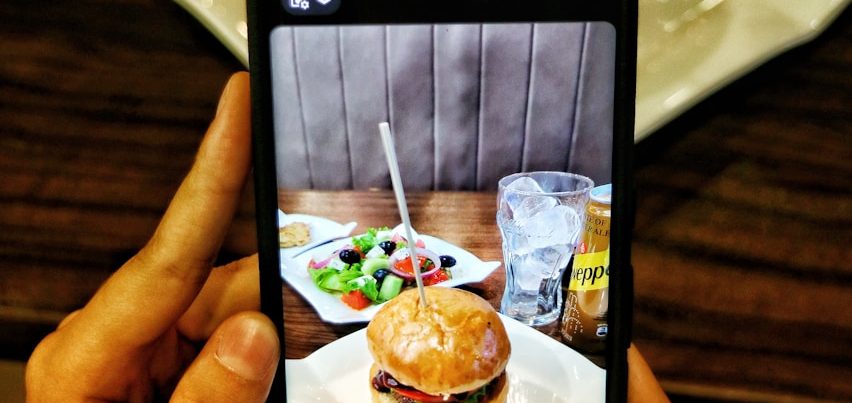
When you’re about to eat, you can either take a quick photo of your food or simply type a short description of the meal.
2. The app estimates the nutritional content
Using the information from the photo or description, the app estimates the meal’s protein, carbohydrate, and fat content to understand the overall size and composition of the meal.
3. Receive a suggested enzyme range
Based on the estimated nutritional content, EasyEnzyme suggests a range of pancreatic enzyme capsules that may be appropriate for that meal.
You can then use this range alongside your own experience and medical advice to decide how many enzymes to take.
Everyone’s pancreatic function is different. EasyEnzyme is designed to help reduce the uncertainty around estimating meal size, but it should always be used alongside guidance from your doctor, gastroenterologist, or dietitian.
Why EasyEnzyme Is a Web App?
EasyEnzyme is designed as a lightweight web app that runs directly in your browser rather than being distributed through the Apple App Store or Google Play Store.
There are two main reasons for this.
First, keeping the app outside of the app stores helps keep running costs low. App store platforms charge fees and require additional infrastructure that would significantly increase the cost of running the service. By keeping EasyEnzyme as a web app, I’m able to keep the subscription price as low as possible.
Second, this approach helps maintain greater privacy and simplicity. Because the app runs directly in your browser, there is no need to install anything on your device or create complicated app store accounts.
You can simply open the app on your phone and use it whenever you need it.
Many users also add the web app to their phone’s home screen, which makes it behave very much like a normal mobile app.
Optional small tip you could add underneath
You can add EasyEnzyme to your phone’s home screen for quick access, just like a regular app.
Add EasyEnzyme to Your Home Screen
Although EasyEnzyme isn’t installed through the app stores, you can easily add it to your phone’s home screen so it works just like a normal app.
Once added, you’ll be able to open it with a single tap.
On iPhone (Safari)
- Open EasyEnzyme in Safari
- Tap the Share icon at the bottom of the screen
- Scroll down and select Add to Home Screen
- Tap Add
EasyEnzyme will now appear on your home screen like a regular app.
On Android (Chrome)
- Open EasyEnzyme in Chrome
- Tap the menu icon (three dots) in the top corner
- Select Add to Home screen
- Confirm by tapping Add
The app will now appear on your home screen for quick access.
Why this is helpful
Adding EasyEnzyme to your home screen makes it behave much more like a traditional mobile app, while still keeping the service simple, private, and lightweight.